
Overview
What is Vidu AI?
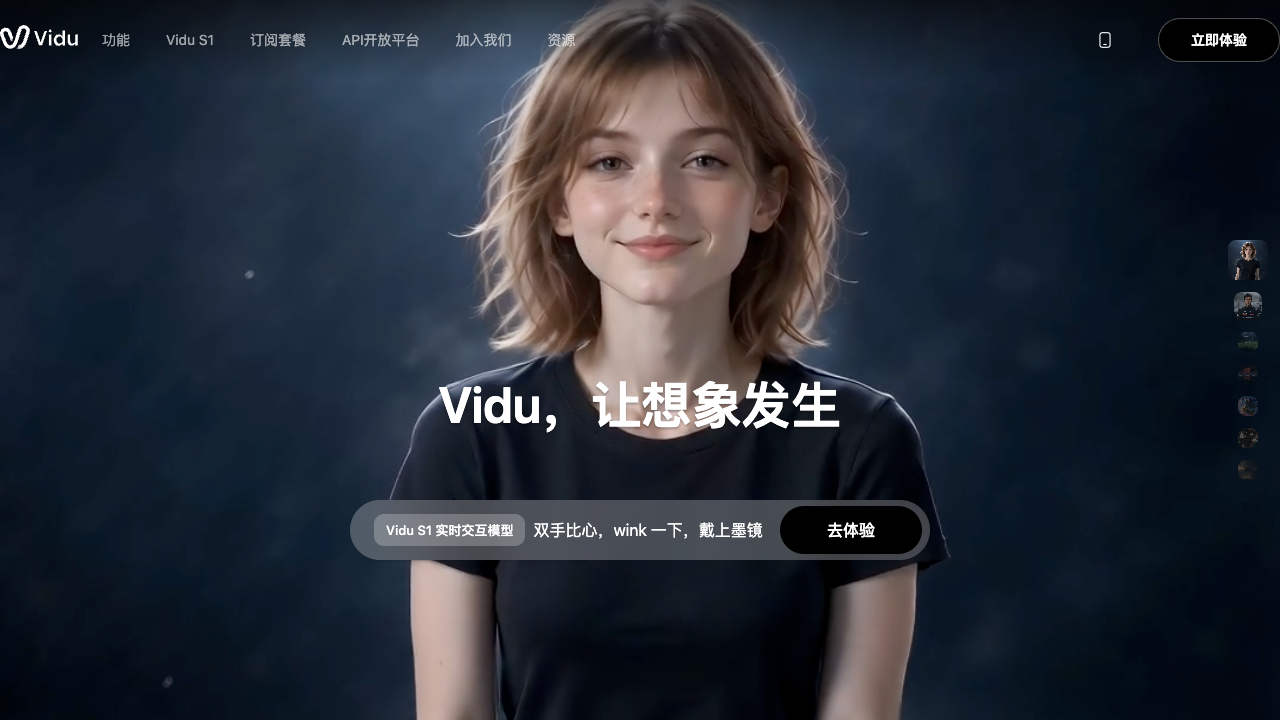
Vidu AI is a browser-based video-generation platform. The official product describes several creation paths: text-to-video for prompt-led scenes, image-to-video for animating stills, and reference-to-video for maintaining characters, objects, or scenes from uploaded references. Its product pages also describe first- and last-frame controls, multi-subject consistency, animation styles, templates, an AI video ad generator, and an API platform.
Good fit
Who should use Vidu AI?
- Creators making short social clips, animated scenes, character videos, or image-to-video variations.
- Marketers producing product, campaign, and AI video-ad drafts from images, prompts, or reference subjects.
- Animation and film teams that need multi-subject consistency, first/last-frame control, or reference-led scene development.
- Developers who want to integrate Vidu generation through its official API platform.
Compare first
Who should compare alternatives first?
- Check the live pricing selector before scaling because Vidu exposes multiple credit types and region-dependent plan surfaces.
- Compare a full editor first if you need detailed timeline editing, captions, audio cleanup, or publishing rather than generation.
- Test the exact reference workflow on your characters or products; consistency depends on the supplied images, prompt, duration, and selected mode.
- Confirm API availability and limits separately from the consumer web workflow if Vidu will be embedded in a product.
Use cases
Vidu AI use cases
- Generate short videos from text prompts with realistic or animated styles.
- Animate a still image with image-to-video and first/last-frame controls.
- Create reference-to-video scenes that keep characters, objects, or locations consistent.
- Produce social, product, and campaign video drafts with templates and AI video-ad workflows.
- Build video-generation features into a product through the Vidu API platform.
Capabilities
Vidu AI features
- Text-to-video generation from natural-language prompts.
- Image-to-video generation with first- and last-frame control.
- Reference-to-video and multi-reference subject consistency.
- Realistic and animated video styles, templates, and short-form creation tools.
- AI video-ad generator and other creator-focused video tools.
- Official API platform for developer integrations.
Pricing
Vidu AI pricing, plans, and credits
Vidu uses credits for video generation. Its official pricing FAQ distinguishes subscription credits, purchased credits, and bonus credits, with different validity periods. The live pricing page can change by region, billing cycle, and product surface, so confirm the current plan selector before committing to a generation budget.
Trial and bonus credits; off-peak generation
Testing prompts, styles, and reference inputs.Subscription credits; current amount shown in the plan selector
Creators producing videos regularly.API credit and model limits shown in the developer platform
Products and teams integrating Vidu generation.Free plan and limits
Vidu advertises trial credits for new users and free generation in Off-Peak Mode. Current free limits and credit amounts should be checked on the live pricing page.
Credits and billing checks
- Confirm whether usage is metered by credits, minutes, generations, seats, or exports.
- Check whether free usage renews monthly or is a one-time allowance.
- Verify whether team seats share one usage pool or receive separate allowances.
- Review export limits, watermark rules, commercial rights, and cancellation terms before paying.
Verification notes
What to verify before choosing it
- Confirm current pricing and free plan limits on the official site.
- Test the output quality against your real workflow before scaling usage.
- Compare the tool against close competitors for pricing, features, and workflow fit.
Tradeoffs
Vidu AI strengths and tradeoffs
Pros
- Supports text, image, and reference inputs in one generation workflow.
- Official pages expose useful consistency and frame-control features for iterative visual work.
- Free and off-peak access makes it practical to test output before choosing a paid plan.
Cons
- Live credits and plan pricing need to be checked in the current pricing surface before budgeting production volume.
- It is primarily a video-generation product, not a replacement for a complete timeline editor.
- Results can vary by reference quality, duration, motion settings, and the selected creation mode.
Recommendation
Should you use Vidu AI?
Choose Vidu AI when you want fast prompt-, image-, or reference-led video generation with subject consistency and animation options. Start with a small set of representative prompts and references, then verify credit consumption, export quality, and API limits before scaling a production workflow.
Questions
FAQs of Vidu AI
What is Vidu AI?
Vidu AI is a video-generation platform that creates videos from text prompts, images, and reference subjects. Its official pages describe text-to-video, image-to-video, reference-to-video, animation styles, templates, and an API platform.
Is Vidu AI free?
Vidu offers trial credits and free generation through its Off-Peak Mode. The current credit amount, limits, and availability can vary, so check the official pricing page before relying on free access.
Can Vidu AI turn an image into a video?
Yes. Vidu provides image-to-video generation and supports first- and last-frame controls for shaping the resulting motion.
Does Vidu AI support reference images?
Yes. Its Reference-to-Video workflow uses reference subjects such as characters, objects, and scenes, with official pages describing multi-subject consistency and saved references.
How does Vidu AI pricing work?
Vidu uses credits. The official pricing FAQ distinguishes subscription credits, purchased credits, and bonus credits, and the live pricing surface shows the current plans and billing options.