
Overview
What is LTX Studio?
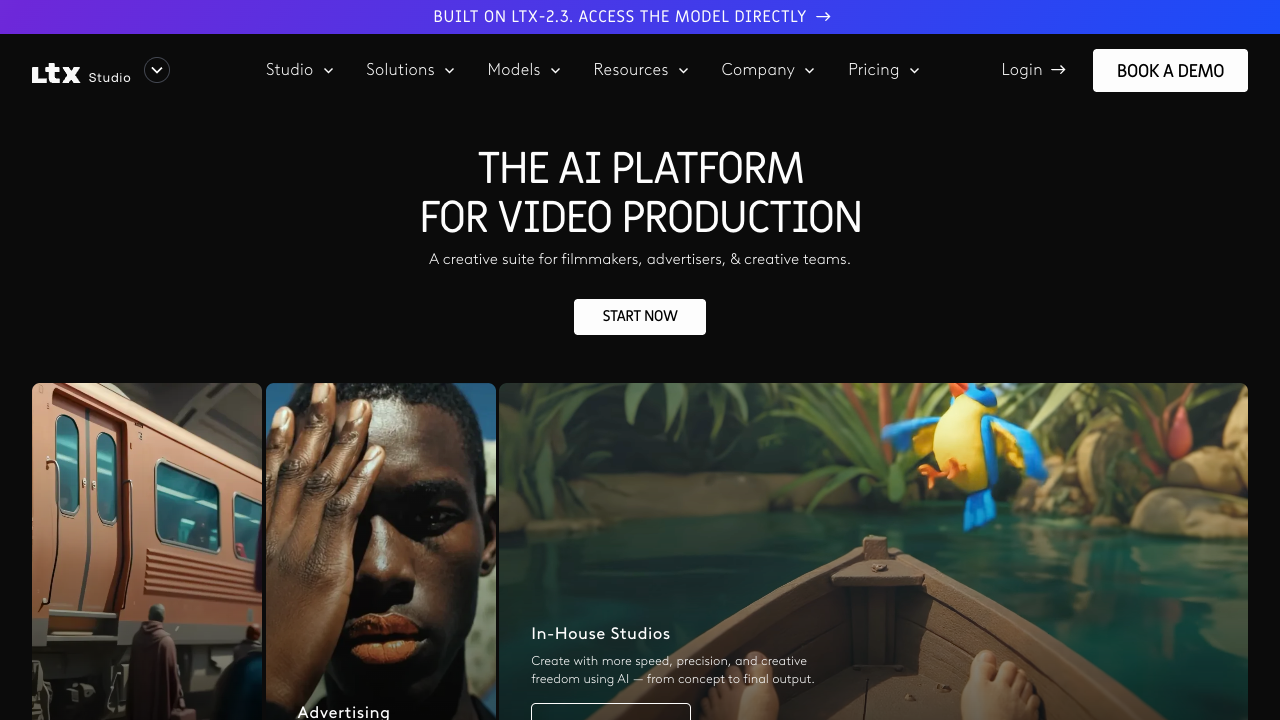
LTX Studio is built around an end-to-end filmmaking workflow rather than a single prompt-to-video canvas. The official product describes turning scripts or ideas into storyboards, generating scenes and shots, controlling camera movement and references, maintaining character and location consistency, editing on a timeline, adding sound, and exporting pitch decks. Its plan structure separates personal use from commercial licenses and scales credits, models, collaboration, and organization controls.
Good fit
Who should use LTX Studio?
- Filmmakers and creators developing scripts, storyboards, scenes, characters, and shot variations.
- Advertising agencies and brand teams creating campaign concepts, ads, visual assets, and pitch decks.
- Creative teams that need camera controls, visual references, consistent elements, timeline editing, and collaboration.
- Users who want to compare multiple partner models inside a production-oriented workspace.
Compare first
Who should compare alternatives first?
- Check licensing first: Free and Lite are personal-use oriented, while Standard and higher plans provide commercial-use access.
- Compare plans by monthly credits and model access: Standard and Pro unlock additional models, storyboards, pitch decks, collaboration, and top-up options.
- Use a dedicated editor instead if your main need is transcript editing, captions, or social repurposing rather than scene and shot development.
- Credit consumption varies by action such as rendering video, changing character appearance, and creating new shots, so test a representative project before scaling.
Use cases
LTX Studio use cases
- Turn a script or idea into scenes, storyboards, characters, and camera directions.
- Generate production-ready visuals and video from text prompts and image references.
- Create consistent characters, objects, and locations across multiple scenes.
- Develop ads, movie concepts, trailers, music videos, and visual story projects.
- Edit generated material in a timeline and export pitch decks for review or presentation.
- Use audio-to-video, video-to-video, upscaling, and node-based Flows on supported plans.
Capabilities
LTX Studio features
- Script-to-storyboard and scene generation.
- Text-to-video, image-to-video, video-to-video, and audio-to-video workflows.
- Camera, keyframe, style-reference, and motion controls.
- Elements for consistent AI characters, objects, and locations.
- Timeline editing, sound design, captions, and pitch-deck generation on supported plans.
- Flows node-based automation and partner-model access on higher tiers.
Pricing
LTX Studio pricing, plans, and credits
LTX Studio lists Free with 800 one-time credits, Lite at $15/month with 8,000 credits, Standard at $35/month with 28,000 credits, and Pro at $125/month with 110,000 credits. Annual billing shows lower effective monthly rates on the live page. Free is personal-use only; Standard and higher plans include commercial-use licensing, while plan access to models, storyboards, pitch decks, collaboration, and organization features varies by tier.
800 one-time credits
Testing the workflow with personal projects.8,000 credits/month
Individual creators with recurring personal projects.28,000 credits/month
Professional creators, marketers, and small teams.110,000 credits/month
High-volume production teams and agencies.Custom credit volume
Organizations with governance and production-scale requirements.Free plan and limits
The Free plan includes 800 one-time credits and personal-use licensing. The official pricing page says it cannot be used for business, marketing, or paid work.
Credits and billing checks
- Confirm whether usage is metered by credits, minutes, generations, seats, or exports.
- Check whether free usage renews monthly or is a one-time allowance.
- Verify whether team seats share one usage pool or receive separate allowances.
- Review export limits, watermark rules, commercial rights, and cancellation terms before paying.
Verification notes
What to verify before choosing it
- Confirm current pricing and free plan limits on the official site.
- Test the output quality against your real workflow before scaling usage.
- Compare the tool against close competitors for pricing, features, and workflow fit.
Tradeoffs
LTX Studio strengths and tradeoffs
Pros
- Organizes generation around a filmmaking workflow from concept to final cut.
- Provides concrete tools for multi-scene consistency, storyboards, camera control, and team review.
- Published plans make personal-versus-commercial licensing and credit scale visible.
Cons
- The credit system is action-based, so project cost is less predictable than a simple per-video price.
- Free and Lite licensing is restrictive for business, marketing, and paid work.
- The breadth of tools can be more than needed for users who only want quick social clips or captions.
Next comparisons
Best alternatives and related comparisons
Related alternatives
Recommendation
Should you use LTX Studio?
Choose LTX Studio when the work starts with a story, script, campaign concept, or multi-shot visual plan and you need continuity across scenes. Test a short project on the Free plan, then move to Standard or higher only after confirming commercial licensing, credit consumption, model access, and collaboration requirements.
Questions
FAQs of LTX Studio
What is LTX Studio?
LTX Studio is an AI video-production workspace for turning scripts and ideas into storyboards, scenes, shots, edits, and pitch-ready projects. Its official pages emphasize filmmaking control and consistency across scenes.
Is LTX Studio free?
Yes. The Free plan includes 800 one-time credits, but the official pricing page limits it to personal use and excludes business, marketing, and paid work.
How much does LTX Studio cost?
The official pricing page lists Lite at $15/month, Standard at $35/month, and Pro at $125/month, plus a Free plan and custom Enterprise plans. Annual billing shows lower effective monthly prices.
Can LTX Studio create storyboards?
Yes. LTX Studio includes script-to-storyboard and AI storyboard workflows that generate scenes, cameras, and characters from a script or idea.
Does LTX Studio allow commercial use?
Commercial use is included on qualifying plans such as Standard and Pro. Free and Lite are personal-use oriented, so confirm the current plan license before using output in business or paid work.