
Overview
What is Kaiber AI?
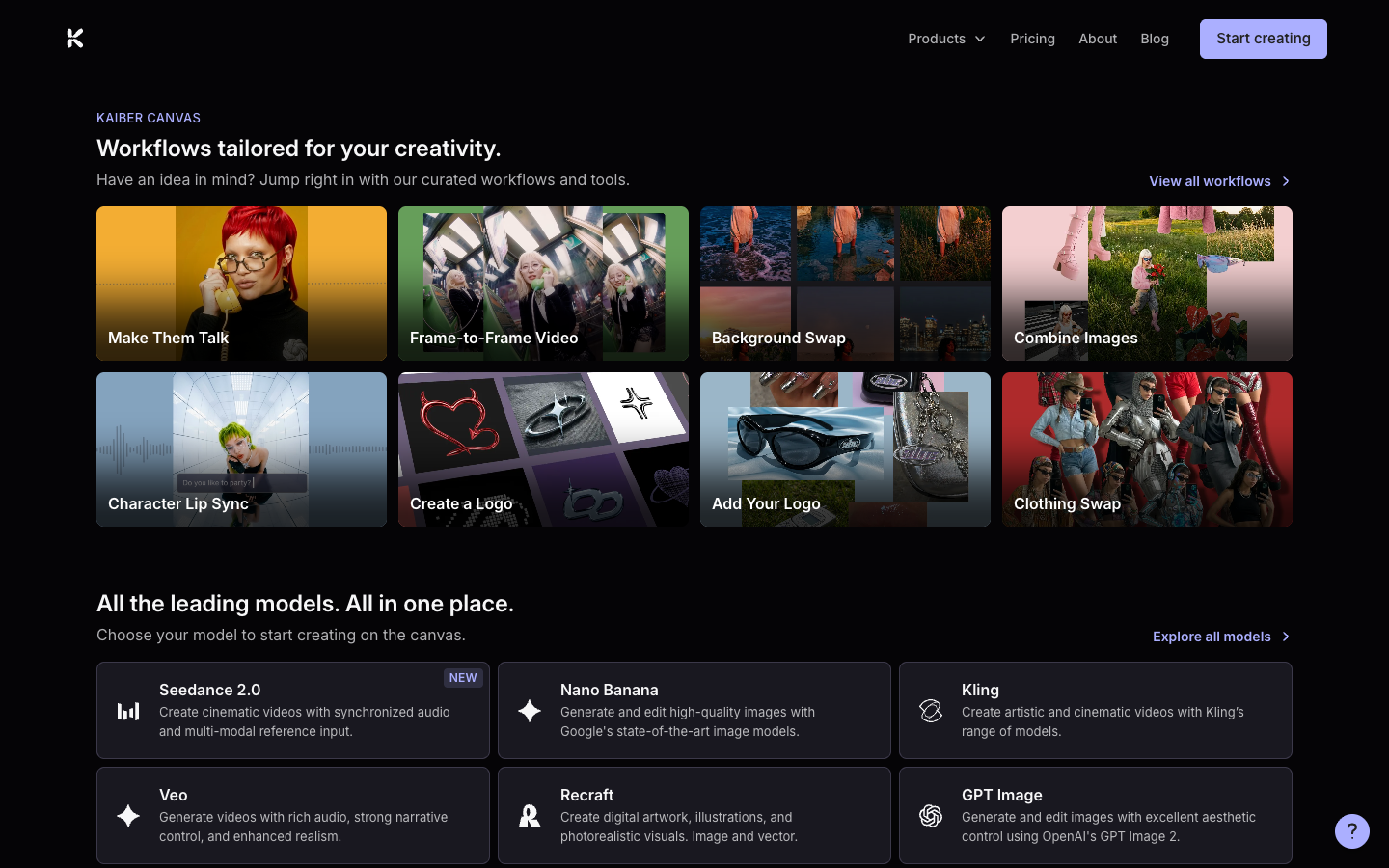
Kaiber organizes its workflow into three connected tools. Canvas is the generative workspace for arranging, creating, and remixing media with curated AI models. Beat Sync turns audio plus images or clips into beat-synchronized video and can generate multiple variations without prompting. Editor is a timeline workspace for sequencing clips, layering audio, adding transitions and text, and exporting in multiple aspect ratios. A shared Media Library moves assets between the three.
Good fit
Who should use Kaiber AI?
- Musicians and labels creating beat-synced visuals, lyric videos, loops, and music-video variations.
- Visual artists generating, arranging, and remixing image, video, and audio assets on a creative canvas.
- Social creators who want batch variations, auto-clipping, captions, and multiple export aspect ratios.
- Studios combining multiple AI models with a connected media library and finishing editor.
Compare first
Who should compare alternatives first?
- The $5 five-day trial automatically converts to Creator unless canceled.
- Starter does not include Beat Sync and is limited to one Canvas and one Timeline Edit.
- Generation credit cost varies by model and settings, so the monthly credit total is not a fixed video count.
- Creator and Pro differ substantially in concurrent generations, Canvases, and Beat Sync batch size.
Use cases
Kaiber AI use cases
- Generate and remix video, images, and audio in Canvas.
- Create music videos, loops, visualizers, lyric videos, and beat-synced social clips.
- Animate uploaded images and batch-create video variations in Beat Sync.
- Auto-clip long footage, generate similar variants, and add lyrics or captions.
- Sequence clips, layer audio, add transitions and text, and export multiple aspect ratios in Editor.
Capabilities
Kaiber AI features
- Canvas workspace with curated video, image, and audio models.
- Beat Sync for music synchronization, no-prompt animation, auto-clipping, captions, and batch creation.
- Timeline Editor for sequencing, audio, transitions, text, and multi-aspect-ratio export.
- Shared Media Library across Canvas, Beat Sync, and Editor.
- Featured workflows that guide model and tool selection.
- Plan-based credits, concurrency, Canvases, timeline limits, and commercial use.
Pricing
Kaiber AI pricing, plans, and credits
Kaiber uses credits across Canvas, Editor, and Beat Sync. The current pricing page lists Starter at $10 per month with 500 credits, Creator at $29 with 1,500 credits, and Pro at $99 with 5,000 credits. Visionary offers unlimited credits by quote. A $5 five-day trial converts to Creator unless canceled.
500 credits
Testing the complete Kaiber workflow.500 credits/month
Individuals exploring Canvas generation.1,500 credits/month
Regular creators and musicians using the full suite.5,000 credits/month
Studios and high-volume creators.Unlimited credits
Labels and agencies needing custom support.Free plan and limits
Kaiber does not list an ongoing free plan on its current pricing page. It offers a $5 five-day trial with 500 credits that converts to Creator unless canceled.
Credits and billing checks
- Confirm whether usage is metered by credits, minutes, generations, seats, or exports.
- Check whether free usage renews monthly or is a one-time allowance.
- Verify whether team seats share one usage pool or receive separate allowances.
- Review export limits, watermark rules, commercial rights, and cancellation terms before paying.
Verification notes
What to verify before choosing it
- Confirm current pricing and free plan limits on the official site.
- Test the output quality against your real workflow before scaling usage.
- Compare the tool against close competitors for pricing, features, and workflow fit.
Tradeoffs
Kaiber AI strengths and tradeoffs
Pros
- Connects generation, music synchronization, and timeline finishing in one suite.
- Beat Sync gives musicians and social creators a focused workflow that many general generators lack.
- The shared Media Library reduces repeated uploading between creation stages.
Cons
- There is no ongoing free plan listed; the paid trial converts automatically.
- Starter excludes Beat Sync and has tight Canvas and timeline limits.
- Credit costs vary by model, making output volume dependent on the chosen workflow.
Recommendation
Should you use Kaiber AI?
Choose Kaiber AI when music synchronization, creative model choice, batch variations, and a connected finishing editor matter more than a single prompt-to-video model. The Creator tier is the practical starting point for Beat Sync; test credit burn and cancel the paid trial if the workflow does not fit.
Questions
FAQs of Kaiber AI
What is Kaiber AI?
Kaiber AI is a creative suite with Canvas for generation, Beat Sync for music-synchronized batch video, and Editor for timeline finishing.
Is Kaiber AI free?
Kaiber currently offers a $5 five-day trial rather than an ongoing free plan. The trial converts to Creator unless canceled.
How much does Kaiber AI cost?
Current monthly prices are $10 for Starter, $29 for Creator, and $99 for Pro, with Visionary available by quote.
What is Kaiber Beat Sync?
Beat Sync combines music with images or clips, synchronizes visuals to the beat, supports captions and auto-clipping, and can batch-create variations without prompts.
Do Kaiber credits expire?
Kaiber states that subscription credits do not expire and roll over month to month, while generation cost depends on the model and settings.