
Overview
What is Pictory AI?
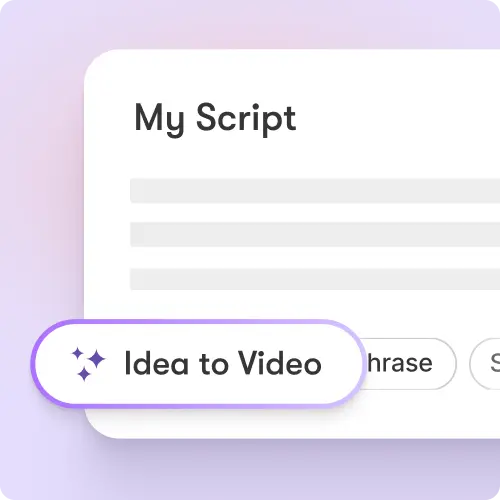
Pictory is designed around converting existing content into video rather than requiring a production crew or a traditional timeline workflow. Its homepage lists idea, URL, image, script, document, PDF, PowerPoint, audio, recording, and video inputs. The platform combines AI video editing, captions, highlights, avatar and voice tools, branding, styles, layouts, stock media, collaboration, and API support. Its enterprise offering adds interactive hosting, chapters, quizzes, calls to action, links, SCORM export, SSO, custom templates, and onboarding services.
Good fit
Who should use Pictory AI?
- Creators and marketers turning scripts, articles, blogs, URLs, ideas, images, presentations, audio, screen recordings, or existing videos into editable videos.
- Teams that need AI voiceovers, captions, highlights, templates, brand kits, stock media, and publishing assets in a single browser workflow.
- Learning, training, sales, and communications teams creating presenter-led, narrated, or interactive videos from existing source material.
- Developers building automated storyboard, video-template, transcription, branding, media, voiceover, and asynchronous rendering workflows through an API.
Compare first
Who should compare alternatives first?
- Compare alternatives first if your main need is frontier cinematic text-to-video. Pictory is strongest as a content-to-video and editing workflow, not only as a raw generative-video model lab.
- Plan pricing combines video-minute allowance, storage, AI voice quotas, stock-media access, and separate AI credits, so estimate the actual source-to-video workflow before choosing a tier.
- The free trial gives access to premium features for 14 days, but Pictory says downloads require a paid subscription after the trial expires.
- Check the selected plan before relying on custom avatars, voice cloning, team workspaces, SSO, SCORM hosting, or enterprise services because these capabilities are tier dependent.
Use cases
Pictory AI use cases
- Turn text, prompts, scripts, articles, and blog posts into narrated videos with visuals, captions, and AI voices.
- Convert URLs, web pages, documents, PDFs, and PowerPoint presentations into video drafts.
- Transform audio recordings, podcasts, voice files, screen recordings, and existing videos into captioned or edited videos.
- Create product demos, explainers, training videos, marketing campaigns, social content, and corporate communications.
- Generate and edit AI avatars, captions, highlights, clips, translations, music, layouts, and styles for reusable video workflows.
- Create branded videos using brand kits, templates, and stock-media libraries.
- Use API workflows for reusable templates, storyboards, transcription, media management, voiceovers, cloud integrations, and job monitoring.
Capabilities
Pictory AI features
- Text-to-video, script-to-video, URL-to-video, blog-to-video, document-to-video, PDF-to-video, PowerPoint-to-video, audio-to-video, image-to-video, and recording workflows.
- AI video editing with text-based edits, automatic captions, highlights and clips, and uploaded-voiceover auto-sync.
- AI avatars, voice cloning, dubbing, multilingual voices, text-to-speech, and music or sound tools.
- AI Studio for generating images and videos from text prompts and inserting them into scenes.
- Brand kits, layouts, styles, integrations, team collaboration, templates, and reusable workflow controls.
- Licensed asset access under paid plans, including Getty Images and Storyblocks libraries with tier-specific allowances.
- Pictory Central enterprise hosting with chapters, quizzes, clickable calls to action, links, and SCORM export.
- API access for storyboards, templates, transcription and summaries, branding, media management, voiceovers, music, cloud integrations, and asynchronous job monitoring.
Pricing
Pictory AI pricing, plans, and credits
Pictory has Starter, Professional, Team, and Enterprise paid plans. Current annual prices shown on the official page are $25/month for Starter, $35/month for Professional, and $119/month for Team; monthly billing is $29, $59, and $199. Starter includes 200 video minutes/month, 5 GB storage, one brand kit, 60 minutes of ElevenLabs voices, 5 million stock videos, and 100 AI credits. Professional and Team raise video minutes, storage, brand kits, voice allowances, stock-media access, and AI credits; Enterprise is custom. Check the live page for current limits and promotional terms.
Premium feature access during trial
Testing the full workflow with real source material.1,200 AI credits/year
Individual creators starting a recurring source-to-video workflow.12,000 AI credits/year
Professional creators and marketers needing higher content volume and advanced features.28,800 AI credits/year
Teams producing shared branded video work at scale.Custom AI credits
Organizations needing governance, interactive learning video, SCORM, SSO, and tailored capacity.Free plan and limits
Pictory offers a 14-day free trial with premium-feature access. After the trial, the account remains accessible but downloads require a paid subscription, according to the official help center.
Credits and billing checks
- Confirm whether usage is metered by credits, minutes, generations, seats, or exports.
- Check whether free usage renews monthly or is a one-time allowance.
- Verify whether team seats share one usage pool or receive separate allowances.
- Review export limits, watermark rules, commercial rights, and cancellation terms before paying.
Verification notes
What to verify before choosing it
- Confirm current pricing and free plan limits on the official site.
- Test the output quality against your real workflow before scaling usage.
- Compare the tool against close competitors for pricing, features, and workflow fit.
Tradeoffs
Pictory AI strengths and tradeoffs
Pros
- Strong source-to-video workflow for scripts, blogs, URLs, documents, presentations, audio, recordings, and existing videos.
- Combines captions, voiceovers, avatars, highlights, stock media, branding, templates, editing, and publishing controls in one workspace.
- Published price, minutes, storage, voice quotas, AI credits, asset access, and team allowances make paid-tier comparison relatively concrete.
- Public API documentation supports automated video creation, reusable templates, brand controls, media, voice, and asynchronous production workflows.
Cons
- The free offer is a trial rather than a permanent downloadable free plan.
- Generative AI usage is credit-based and separate from broader video-minute, voice, storage, and asset allowances.
- The tool is a better fit for content repurposing and editing than for buyers who only want frontier cinematic text-to-video generation.
- Custom avatars, voice cloning, collaboration, interactive hosting, SCORM, SSO, and enterprise support depend on the selected tier.
Community evidence
Reddit and community signals
Community discussion frames Pictory as a practical long-form source-to-video workflow, while also emphasizing that long scripts benefit from scene-level review of visuals, voice, and pacing before export.
Sentiment: The strongest fit signal is content repurposing: users value converting long or existing material into structured scenes, then refining visuals, narration, and pacing before publishing.
Next comparisons
Best alternatives and related comparisons
Related comparisons
Recommendation
Should you use Pictory AI?
Pictory AI is worth shortlisting when your starting point is a script, blog, URL, document, presentation, recording, podcast, or existing video and the goal is a branded, narrated, captioned, editable video. Compare Runway, Kling, Pika, or other model-first tools if your main criterion is raw generative shot quality; compare VEED, Descript, InVideo, or Canva if editing style, collaboration, or a different publishing workflow is the priority.
Questions
FAQs of Pictory AI
What is Pictory AI?
Pictory AI is a browser-based content-to-video platform. It turns text, scripts, blogs, URLs, documents, presentations, audio, images, recordings, and existing videos into editable videos with visuals, captions, AI voices, avatars, templates, and editing tools.
Is Pictory AI free?
Pictory offers a 14-day free trial with access to premium features. Its help center says you can still access the account after the trial, but you cannot download videos unless you have a paid subscription.
How much does Pictory AI cost?
Current annual pricing starts at $25 per month for Starter, $35 for Professional, and $119 for Team; month-to-month pricing is $29, $59, and $199 respectively. Enterprise pricing is custom. Plans combine video minutes, storage, voices, brand kits, asset access, and AI credits, so verify the live plan page before purchase.
Can Pictory AI turn a blog or URL into a video?
Yes. Pictory lists URL-to-video, blog-to-video, and text-to-video workflows. Its homepage says it can convert URLs, blog links, and web pages into videos with generated visuals, AI avatars, captions, and voices.
Does Pictory AI have an API?
Yes. Pictory publishes API documentation for programmatic video creation and editing. The API supports storyboard workflows, reusable templates, transcription and AI summaries, branding, media management, voiceovers, music, cloud integrations, and asynchronous job tracking.
Who is Pictory AI best for?
Pictory is best for creators, marketers, educators, training teams, and businesses that already have scripts, articles, URLs, presentations, recordings, or long videos and need to convert them into polished, narrated, captioned, branded videos.