
Overview
What is Clipfly AI?
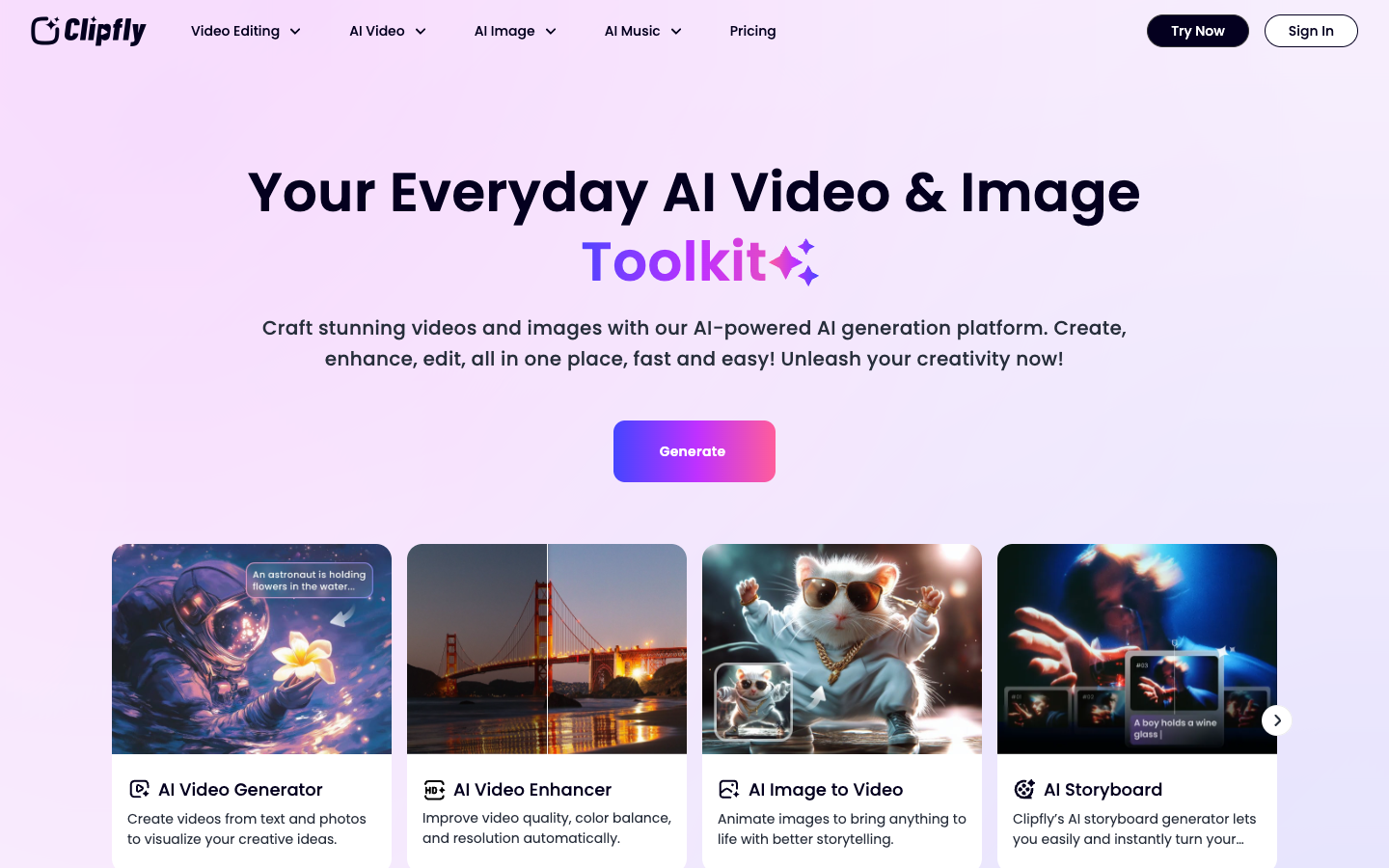
Clipfly presents itself as an everyday AI video and image toolkit. Users can create videos from text or photos, animate still images, generate storyboards, enhance low-quality footage, remove objects or backgrounds, make talking avatars, generate music, and finish projects in an online editor. Paid subscriptions include credits for AI generation alongside a large library of editing functions and creative assets.
Good fit
Who should use Clipfly AI?
- Social creators generating and editing short videos, memes, effects, captions, and platform-ready clips.
- Designers and marketers animating product images, creating storyboards, and producing visual campaign assets.
- Beginners who want browser-based editing without a complex desktop timeline.
- Small teams that want AI video and image generation plus stock assets, music, and editing tools under one plan.
Compare first
Who should compare alternatives first?
- The pricing page defaults to annual plan prices, so compare the live monthly and annual checkout totals before subscribing.
- AI generation is credit-based, and the public page does not give one universal credit cost for every video model.
- Free-account generation limits are not fully detailed on the public pricing table.
- Compare a specialist editor if you need advanced timeline control, review workflows, or complex professional post-production.
Use cases
Clipfly AI use cases
- Generate videos from prompts, text, photos, or multiple reference images.
- Animate product shots, portraits, artwork, and social images.
- Enhance resolution, sharpness, color, and clarity in existing footage.
- Remove objects, text, watermarks, or backgrounds from video.
- Create storyboards, talking avatars, AI music, captions, and finished social videos.
Capabilities
Clipfly AI features
- Text-to-video, image-to-video, first and last frames, and image-fusion workflows.
- Online video editor with trimming, splitting, transitions, captions, text, stickers, filters, and music.
- Video enhancement, unblur, background removal, object removal, and text removal.
- AI storyboard, talking avatar, video effects, image generation, and AI music tools.
- Access to multiple video and image models on paid plans.
- Cloud storage, stock assets, editing functions, and multiple account licenses by plan.
Pricing
Clipfly AI pricing, plans, and credits
Clipfly separates premium subscriptions from additional credit purchases. At verification, annual pricing listed Pro at $49.99 per year with 200 credits per month, Pro+ at $189.99 per year with 1,000 credits per month, and Business at $389.99 per year with 3,000 credits per month. Higher tiers add storage, seats, larger credit-purchase discounts, and AI Movie access.
Verify current generation credits
Trying Clipfly and lightweight edits.200 credits/month
Individual creators with lighter AI generation needs.1,000 credits/month
Creators producing video and image assets regularly.3,000 credits/month
Small teams and higher-volume production.Free plan and limits
Clipfly promotes free creation and editing tools, including no-watermark export claims on its editor page. The public pricing table does not fully specify free-account credits or model limits, so verify them in the live product.
Credits and billing checks
- Confirm whether usage is metered by credits, minutes, generations, seats, or exports.
- Check whether free usage renews monthly or is a one-time allowance.
- Verify whether team seats share one usage pool or receive separate allowances.
- Review export limits, watermark rules, commercial rights, and cancellation terms before paying.
Verification notes
What to verify before choosing it
- Confirm current pricing and free plan limits on the official site.
- Test the output quality against your real workflow before scaling usage.
- Compare the tool against close competitors for pricing, features, and workflow fit.
Tradeoffs
Clipfly AI strengths and tradeoffs
Pros
- Broad combination of generation, editing, enhancement, image, avatar, and music tools.
- Browser workflow lowers the setup barrier for quick creative experiments.
- Annual plans publish clear monthly credit, storage, and seat differences.
Cons
- Annual prices can look inexpensive without showing the effective monthly generation cost for a specific model.
- Free credit and model limits require an in-product check.
- The browser editor may not replace a full professional nonlinear editing workflow.
Recommendation
Should you use Clipfly AI?
Choose Clipfly AI when you want to generate, enhance, and edit video without moving between several browser tools. Before subscribing, test the models you expect to use and calculate how far the plan credits go for your normal duration and resolution.
Questions
FAQs of Clipfly AI
What is Clipfly AI?
Clipfly AI is a browser-based creative platform for AI video and image generation, editing, enhancement, avatars, storyboards, and music.
Is Clipfly AI free?
Clipfly promotes free generation and editing tools, but the public pricing table does not fully disclose every free-account credit and model limit.
How much does Clipfly AI cost?
At verification, annual plans listed Pro at $49.99 per year, Pro+ at $189.99 per year, and Business at $389.99 per year.
Can Clipfly create video from an image?
Yes. Clipfly supports image-to-video, first and last frames, image fusion, and related animation workflows.
Does Clipfly include a video editor?
Yes. Its online editor includes common editing, captions, text, music, transitions, filters, stickers, and export workflows.