
Overview
What is Quso AI?
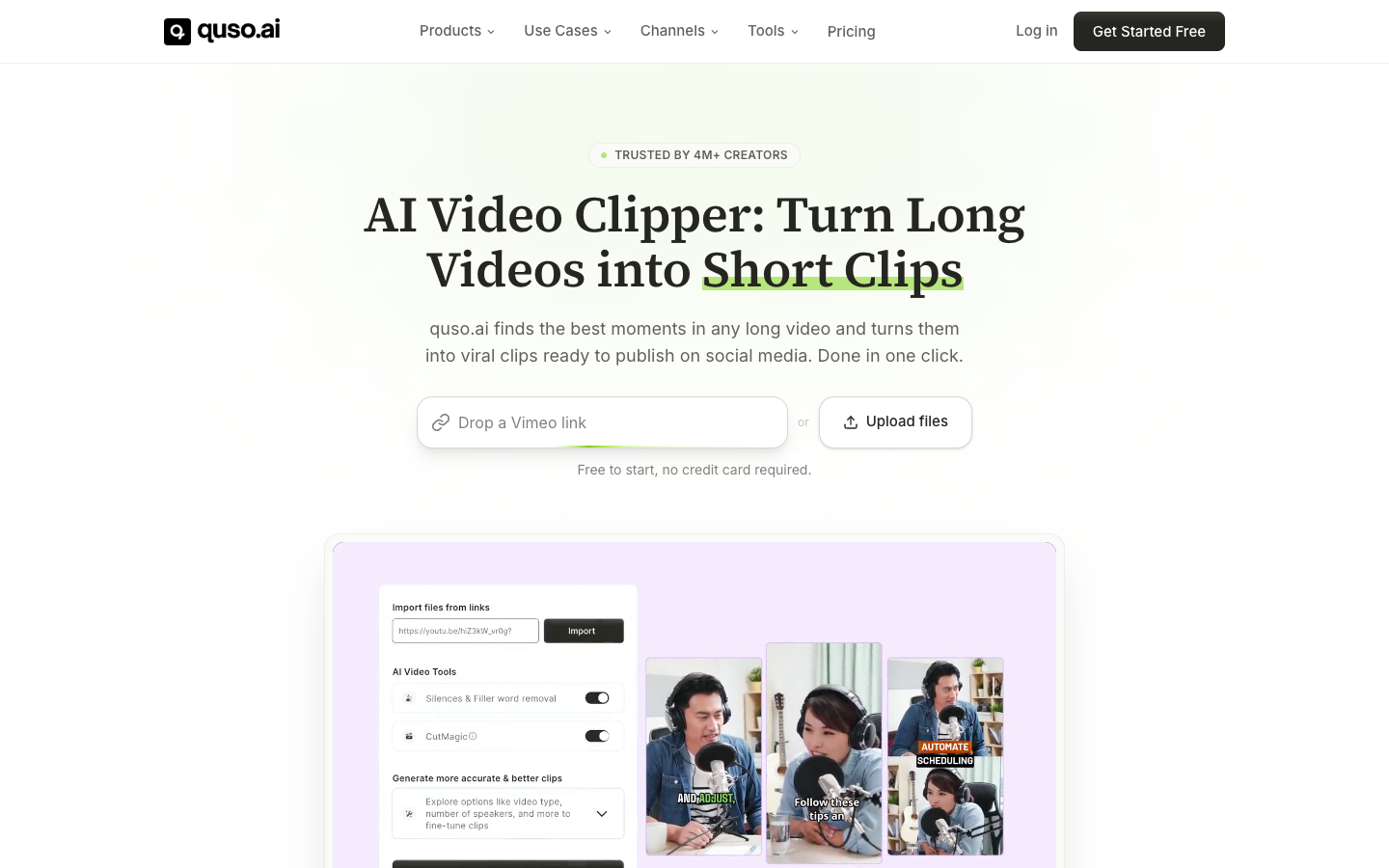
Quso AI expanded the former Vidyo.ai clipping product into a broader social media workflow. Users can upload long-form video or public links, use AI Clips and IntelliClips to identify moments, apply vertical reframing and captions, edit the results, keep templates on brand, generate social copy, schedule posts, and review analytics. Quso also publishes script and prompt-to-video tools, but its clearest product strength remains repurposing long content into social clips.
Good fit
Who should use Quso AI?
- Podcasters and interview creators turning full episodes into captioned short clips.
- YouTube and livestream creators repurposing long footage for Shorts, Reels, TikTok, and other channels.
- Marketing and social teams that want clipping, branding, scheduling, and analytics in one workflow.
- Freelancers and agencies producing repeatable short-form packages for clients.
Compare first
Who should compare alternatives first?
- Credits are based largely on imported or generated video minutes and expire at the end of the subscription period unless purchased as add-ons.
- Free exports are limited to 720p and seven-day data retention.
- The advanced editor is listed as desktop access on Lite and above, so confirm the workflow on the devices your team uses.
- Choose a generation-first tool if cinematic text-to-video is more important than clipping, captioning, and distribution.
Use cases
Quso AI use cases
- Turn podcasts, interviews, webinars, sermons, and long YouTube videos into short clips.
- Detect highlights, hooks, emotional peaks, and key takeaways automatically.
- Reframe speakers for vertical video and add animated multilingual captions.
- Apply brand fonts, colors, logos, and templates to repeatable content.
- Schedule and publish clips across major social platforms and monitor analytics.
Capabilities
Quso AI features
- AI Clips and IntelliClips for automatic highlight detection and virality scoring.
- CutMagic for scene detection and automatic vertical reframing with speaker tracking.
- Animated captions, subtitle generation, and filler or silence removal.
- Video editor with trimming, aspect ratios, visuals, audio, and brand customization.
- Content planner, social captions, scheduling, publishing, and analytics.
- Script, prompt, and faceless-video generation tools alongside the repurposing workflow.
Pricing
Quso AI pricing, plans, and credits
Quso pricing starts with a Free plan containing 75 monthly credits and 720p rendering. Lite costs $29 monthly, Essential $39, and Growth $49. Annual billing currently shows effective prices of $19, $26, and $33 per month and doubles the listed monthly credit allowance. One credit is approximately one minute of processed video, with details depending on the feature.
75 credits/month
Trying the clipping workflow and light monthly use.100 credits/month; 200 on annual billing
Creators publishing short-form consistently.300 credits/month; 600 on annual billing
Creators scaling output across platforms.600 credits/month; 1,200 on annual billing
Teams and serious creators with heavier workloads.Free plan and limits
The Free plan includes 75 credits per month, 720p rendering, chapters and short videos, TikTok publishing, CutMagic, and seven-day data retention.
Credits and billing checks
- Confirm whether usage is metered by credits, minutes, generations, seats, or exports.
- Check whether free usage renews monthly or is a one-time allowance.
- Verify whether team seats share one usage pool or receive separate allowances.
- Review export limits, watermark rules, commercial rights, and cancellation terms before paying.
Verification notes
What to verify before choosing it
- Confirm current pricing and free plan limits on the official site.
- Test the output quality against your real workflow before scaling usage.
- Compare the tool against close competitors for pricing, features, and workflow fit.
Tradeoffs
Quso AI strengths and tradeoffs
Pros
- Connects clipping, editing, branding, scheduling, and analytics instead of stopping at exported clips.
- Free plan clearly states its credits, resolution, publishing, and retention limits.
- The Vidyo.ai rebrand preserves the existing product and account lineage under a current canonical brand.
Cons
- Monthly credits expire, and long imported videos can consume credits quickly.
- The free tier is limited to 720p and short data retention.
- Cinematic generation and detailed manual editing are not the main strengths of the platform.
Recommendation
Should you use Quso AI?
Choose Quso AI when the job starts with long-form footage and ends with consistently branded, scheduled short clips. Use the Quso canonical page for both the current brand and Vidyo.ai searches, and compare alternatives when you need deeper manual editing or cinematic generation.
Questions
FAQs of Quso AI
Is Quso AI the same as Vidyo.ai?
Yes. Vidyo.ai became Quso AI in January 2025, with existing accounts, projects, plans, and subscriptions carrying over.
Is Quso AI free?
Yes. The current Free plan includes 75 monthly credits, 720p rendering, short-video tools, TikTok publishing, CutMagic, and seven-day data retention.
How do Quso AI credits work?
One credit is approximately one minute of processed video. Imported-video features round partial minutes up, while generated-video credits are based on approximate final length.
Can Quso AI publish to social media?
Paid plans support publishing and scheduling to multiple platforms, with Growth adding brand and analytics features.
What is Quso AI best for?
It is best for turning podcasts, interviews, webinars, livestreams, and other long videos into captioned, reframed, scheduled social clips.