
Overview
What is Captions AI?
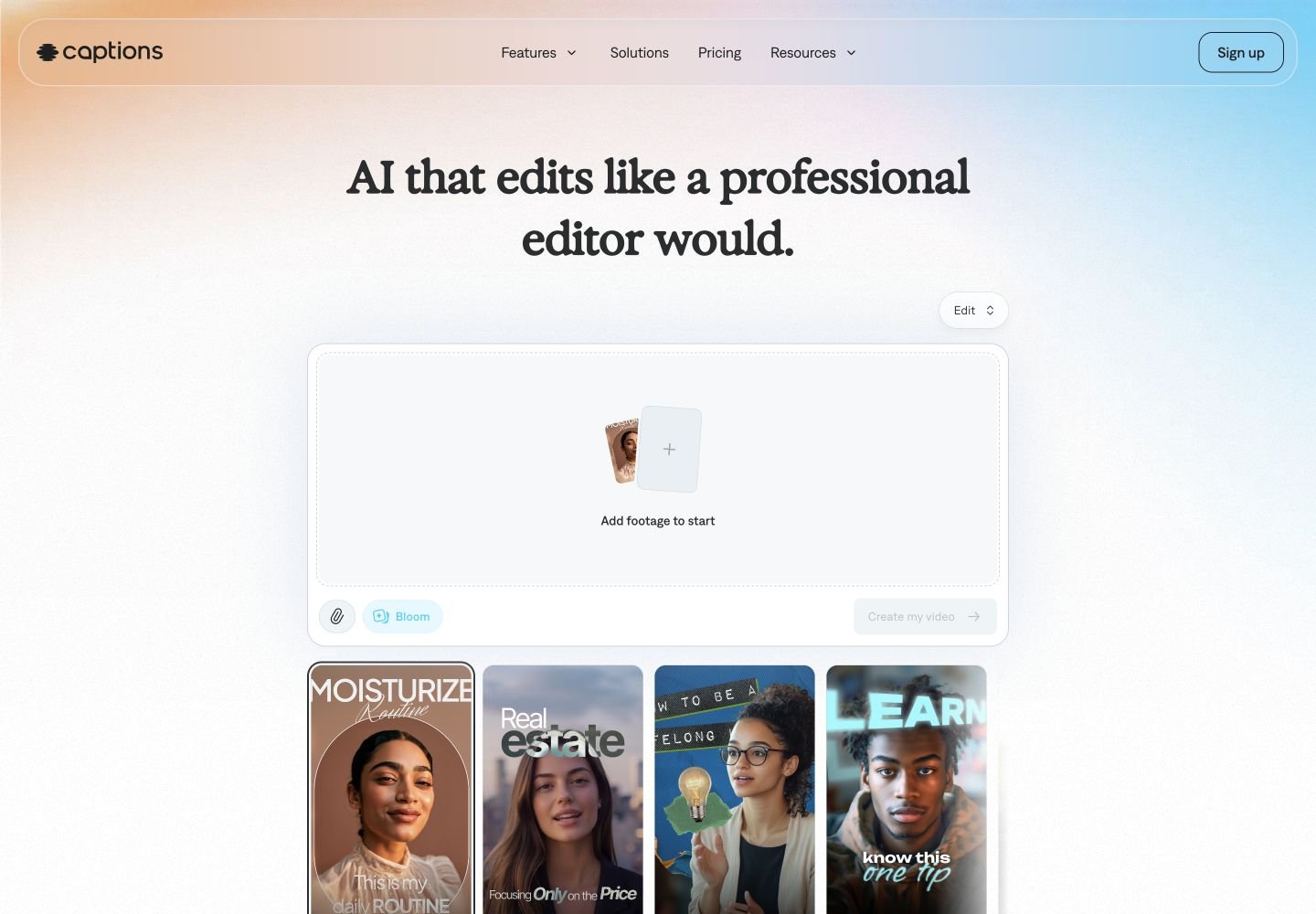
Captions AI is a web, desktop, iOS, and Android AI video editor built for creators and teams that want finished social videos without traditional post-production. Its official pages describe AI Edit for turning raw footage into a polished video, automatic captions and translated subtitles, AI dubbing, Prompt to Video with AI actors, AI Twins, AI Shorts, chat-based editing, media overlays, AI music and sound effects, denoise, eye contact correction, teleprompter recording, and export workflows. Feature availability varies by platform, and advanced AI generation uses plan credits.
Good fit
Who should use Captions AI?
- Creators who publish talking-head videos, Reels, TikToks, Shorts, ads, tutorials, podcast clips, product assets, training videos, or social content and want AI to handle editing work.
- Marketers and small businesses that need fast UGC-style ads, product videos, promotional content, captions, subtitles, music, B-roll, sound effects, and polished social formats.
- Solo creators who want AI captions, AI Edit styles, camera and teleprompter recording, AI Shorts, and quick exports without using a full professional editor.
- Teams localizing videos with automatic captions, translated subtitles, AI dubbing, and support for 100+ caption languages or 30+ dubbing languages.
- Creators who want to generate talking-head videos from prompts using virtual actors, AI Twins, AI actors, or prompt-to-video workflows instead of filming every clip.
Compare first
Who should compare alternatives first?
- Compare alternatives first if you mainly need a traditional timeline editor with full manual control; Captions focuses on automated AI editing, captioning, generated actors, and prompt-based workflows.
- Compare alternatives first if you want advanced AI generation on the Free plan. Captions says Free is for basic editing and not for video generation, automatic editing, or AI Editing.
- Compare alternatives first if credit predictability is critical. Captions deducts credits for AI features such as images, videos, sounds, music, voiceovers, prompt-to-video, and AI Edits, and costs vary by model and duration.
- Compare alternatives first if you need all features on every platform. Captions documents differences between iOS, Web, Android, and Desktop feature availability.
- Compare alternatives first if you need long prompt-to-video outputs on desktop. Captions docs list desktop prompt-to-video limits including 100MB upload, 30-second or 1,000-character audio prompt, 4-second segments, and a 30-second maximum final video.
- Compare alternatives first if your workflow depends on Android only. Captions says the Lite plan is Android-only and a separate Pro, Max, or Scale subscription is required for desktop and iPhone paid features.
Use cases
Captions AI use cases
- Upload raw footage and use AI Edit to apply professional styles, cuts, captions, B-roll, transitions, music, sound effects, images, and motion graphics.
- Generate automatic captions, edit caption spelling and timing, choose caption styles, and burn captions into videos for TikTok, Instagram Reels, YouTube Shorts, and other platforms.
- Translate and subtitle videos in 100+ languages, or dub videos into 30+ languages while maintaining natural voice and timing.
- Create prompt-to-video talking-head clips from text using Mirage-generated actors, generated B-roll, transitions, sound effects, music, zooms, cuts, and AI Edit styles.
- Create AI Twins or custom AI actors from selfies and reuse the same virtual presenter across multiple videos.
- Generate UGC-style product ads and marketing videos using AI Ads, AI actors, scripts, media, and editing styles.
- Turn long videos or YouTube URLs into social-ready short clips with AI Shorts.
- Record directly with the Captions camera and teleprompter, then use AI tools to trim pauses, improve audio, fix eye contact, and add captions.
- Use chat-based editing to request changes such as background music, B-roll, background replacement, caption edits, font changes, or generated overlays.
- Generate media overlays including images, B-roll, music, sound effects, and voiceovers from prompts for use inside video projects.
Capabilities
Captions AI features
- AI Edit can turn uploaded footage into a fully edited video with captions, trim, transitions, sound effects, music, AI-generated images, B-roll, and motion graphics.
- Prompt to Video creates talking-head videos from text prompts using AI actors, automatic editing, B-roll, transitions, sound effects, music, zooms, cuts, and optional AI Edit styles.
- Automatic captions use AI speech recognition, support transcription in 100+ languages, sync captions to audio, and let users review and edit lines before export.
- Translation supports over 100 languages for subtitles, while AI Dubbing supports 30+ languages for dubbed audio and translated captions.
- AI Twin lets users create a digital clone from a photo and voice selection, with Max supporting up to 30 AI Twins according to the subscription docs.
- AI Shorts can upload a long video or paste a YouTube URL and generate multiple short clips for social media.
- Chat-based editing lets users describe edits in natural language and attach media for context.
- AI editing tools include Eye Contact, Denoise, Censor, Zoom, Voiceover, Title Card, Text, Trim, AI Cutout, AI Sound Effects, and AI Music depending on plan and platform.
- Manual editing includes trimming, timeline clip changes, reordering shots, transitions, media overlays, imported voiceover, imported music, imported sound effects, and project scaling where supported.
- Captions works across iOS, Web, Android, and Desktop, but feature availability varies by platform.
- Captions API can add captions and generate talking-head videos programmatically for product integrations.
- Enterprise plans include bulk credit discounts, custom seat options, account management, training data exclusion, onboarding, priority training, support, and early beta access.
Pricing
Captions AI pricing, plans, and credits
Captions offers a Free plan with 60-200 lifetime credits and basic editing exports, plus paid plans for advanced AI features. The help center lists Lite on Android at $4.99 per month, Pro at $9.99 per month with 200 monthly credits, Max at $24.99 per month with 500 credits, Scale at $69.99 per month with 1,400 credits, Scale 2x at $139.99 per month with 2,800 credits, Scale 4x at $279.99 per month with 5,600 credits, and Enterprise custom pricing. The public pricing page emphasizes Max, Scale, Scale 2x, Scale 4x, and Enterprise, and notes that displayed prices are USD and reflect iOS plans only. Credits are consumed by AI features including image, video, sound, music, voiceover, prompt-to-video, and AI Edit generation.
60-200 lifetime credits
Testing basic captions and editing without paid AI generation.Android-only plan
Android users needing essential mobile editing tools.200 credits/mo
Creators needing paid AI tools with a lower monthly credit allowance.500 credits/mo
Creators using AI Edit, actors, and generated media regularly.1,400 credits/mo
High-volume creators and teams needing more AI credits.2,800 credits/mo
Teams that need more monthly AI generation than Scale.5,600 credits/mo
Heavy production workflows with frequent AI generation.Custom credits
Organizations needing custom packaging, support, seats, and governance.Free plan and limits
Free plan with 60-200 lifetime credits, basic editing, project creation, exports, captions, camera, trim, zoom, sounds, media, voiceover, transitions, resizing, and no watermarks for supported basic features.
Credits and billing checks
- Confirm whether usage is metered by credits, minutes, generations, seats, or exports.
- Check whether free usage renews monthly or is a one-time allowance.
- Verify whether team seats share one usage pool or receive separate allowances.
- Review export limits, watermark rules, commercial rights, and cancellation terms before paying.
Verification notes
What to verify before choosing it
- Confirm current pricing and free plan limits on the official site.
- Test the output quality against your real workflow before scaling usage.
- Compare the tool against close competitors for pricing, features, and workflow fit.
Tradeoffs
Captions AI strengths and tradeoffs
Pros
- Strong fit for creators who need AI captions, social-ready edits, B-roll, music, transitions, dubbing, AI actors, and quick exports in one workflow.
- Official docs cover many concrete workflows, including AI Edit, Prompt to Video, AI Twin, AI Shorts, AI Dubbing, chat-based editing, and credit usage.
- Captions supports a broad language surface: 100+ languages for captions/translation and 30+ languages for AI dubbing.
- Free plan includes basic editing, project creation, exports, and no watermarks for supported basic features.
Cons
- Advanced generation and AI Edit workflows require paid plans and credits.
- Credit costs vary by feature, model, duration, and generated assets, so high-volume workflows need budget monitoring.
- Feature availability differs across iOS, Web, Android, and Desktop.
- Prompt-to-video desktop limits make Captions better for short talking-head clips than long native AI video generation.
Community evidence
Reddit and community signals
Community discussion is mixed-positive: users value Captions AI for clean captions, automated editing, social-video speed, and first-draft workflows, while recurring concerns include subscription cost, credit limits, free alternatives, and the need for human taste in final storytelling.
Sentiment: Mixed-positive: strong for automated captions and fast creator edits; weaker for cost-sensitive users, high-volume credit planning, and advanced manual editing.
Next comparisons
Best alternatives and related comparisons
Related comparisons
Recommendation
Should you use Captions AI?
Captions AI is worth shortlisting if your priority is producing social-ready creator videos with automatic captions, AI Edit styles, B-roll, music, dubbing, AI actors, AI Twins, and quick prompt-based edits. It is especially strong for talking-head content, UGC ads, short-form social clips, caption-heavy videos, and creators who want AI to handle first-pass editing. Compare CapCut, Descript, Opus Clip, VEED, InVideo, or dedicated AI video generators first if you need a cheaper free workflow, deeper manual timeline control, long-form editing, predictable credit economics, or cinematic text-to-video generation rather than creator-focused post-production.
Questions
FAQs of Captions AI
What does Captions AI do?
Captions AI is an AI video editor that can edit uploaded footage, generate new talking-head videos, add automatic captions, translate subtitles, dub video audio, create AI actors or AI Twins, generate social clips, and apply AI editing styles with B-roll, music, transitions, and effects.
Is Captions AI free?
Captions has a Free plan with 60-200 lifetime credits, basic project creation and exports, captions, camera, trim, zoom, sounds, media, voiceover, transitions, resizing, and no watermarks for supported basic features. Advanced AI generation, automatic editing, and AI Edit require paid plans.
How much does Captions AI cost?
Captions lists Max at $24.99 per month, Scale at $69.99 per month, Scale 2x at $139.99 per month, Scale 4x at $279.99 per month, and Enterprise as custom pricing. The help center also lists Pro at $9.99 per month with 200 monthly credits and an Android-only Lite plan at $4.99 per month.
How do Captions AI credits work?
Captions credits are deducted for AI features such as generated images, videos, sounds, music, voiceovers, text-prompt videos, and AI Edits. Monthly credits vary by plan, and actual credit costs depend on video duration, model selection, and algorithm choices.
Can Captions AI generate videos from text?
Yes. Captions Prompt to Video can create talking-head videos from text prompts using AI actors, generated B-roll, professional editing, transitions, sound effects, music, zooms, cuts, and optional AI Edit styles.
Which platforms does Captions AI support?
Captions is available across iOS, Web, Android, and Desktop, but not every feature is available on every platform. The official feature availability page lists platform-specific support for captioning, dubbing, prompt-to-video, AI Edit, AI Twin, AI Shorts, manual editing, and project tools.